
Connect KeyCRM
The agent finds a customer by phone and creates orders in your KeyCRM pipeline right during the conversation.
Video coming soon
What you need
- A KeyCRM account on a paid plan: the API is open on all paid plans.
- A pipeline and starting status for new orders.
- A Happ agent that talks to customers.
Get the API key in KeyCRM
In KeyCRM open Settings → General → API. Click Generate if there is no key yet and copy it.
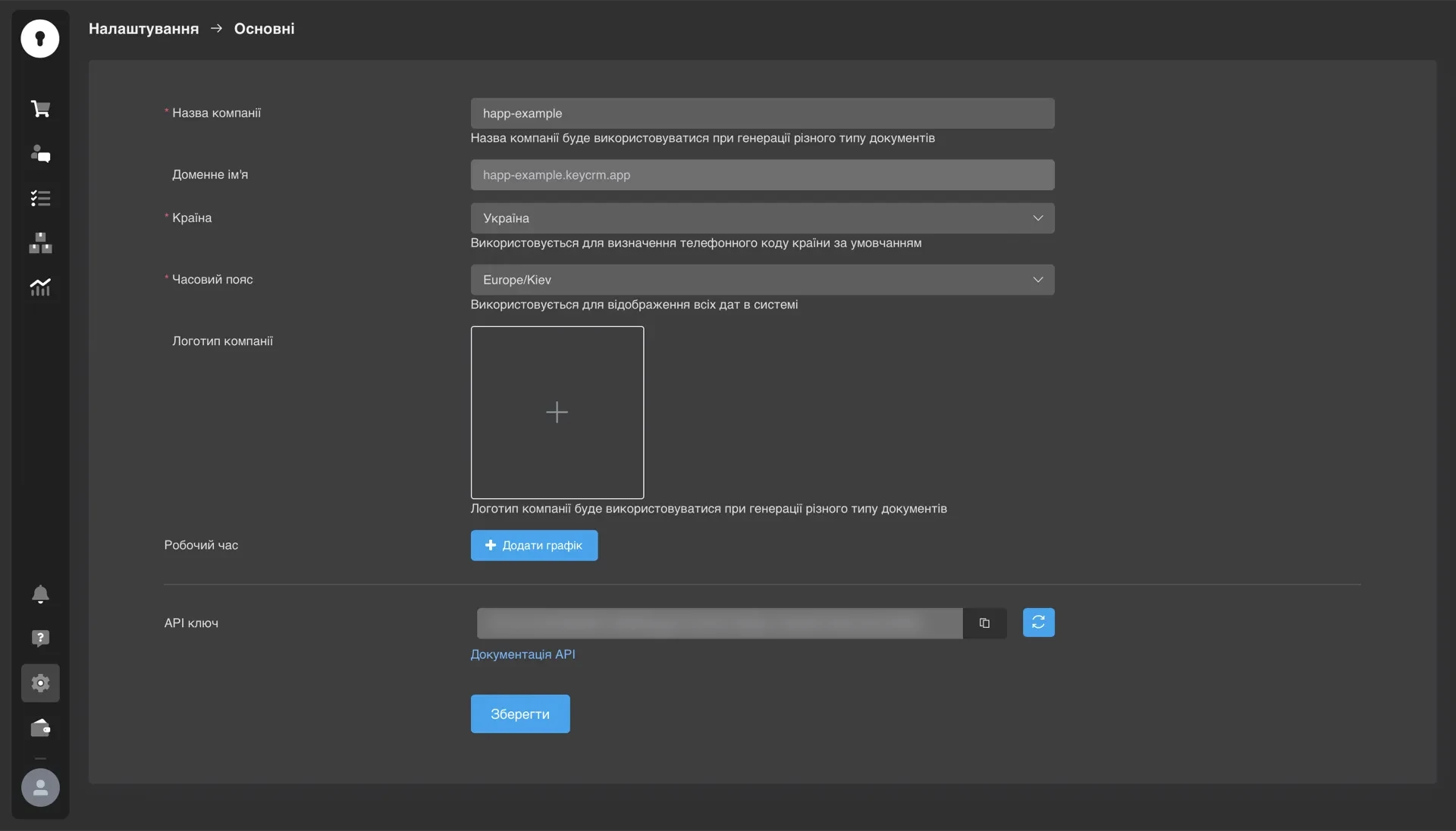
Connect KeyCRM in Happ
Open Integrations, find KeyCRM and click Connect. Paste the key, tick the data sync consent and click Connect.
Choose what the agent may do
Open the settings on the KeyCRM card. Search: the agent looks up customers by phone. Create: pick the mode (pipeline card or order), the pipeline, status and source.
Turn on calls on CRM events (optional)
In the KeyCRM card menu choose Calls on CRM events. Paste the Happ link into KeyCRM webhooks and set a trigger, for example "new order → confirmation call".
Troubleshooting
| Error | What to do |
|---|---|
INVALID_API_KEY | Copy the key from KeyCRM again without spaces and make sure it was generated. |
TOKEN_REVOKED (401) | The key was regenerated. Create a new one and reconnect. |
| Orders do not arrive | Check pipeline and status in settings, and the KeyCRM IP whitelist: empty or containing the Happ address. |
Next
- KeyCRM: all fields and disconnecting.
- Test cases: check the agent creates orders correctly, with tool mocks.
Help me solve it
Happ answers right away and hands over to a manager when needed.
Did this help?